

Earth Class Mail adds 2FA for virtual mail customers


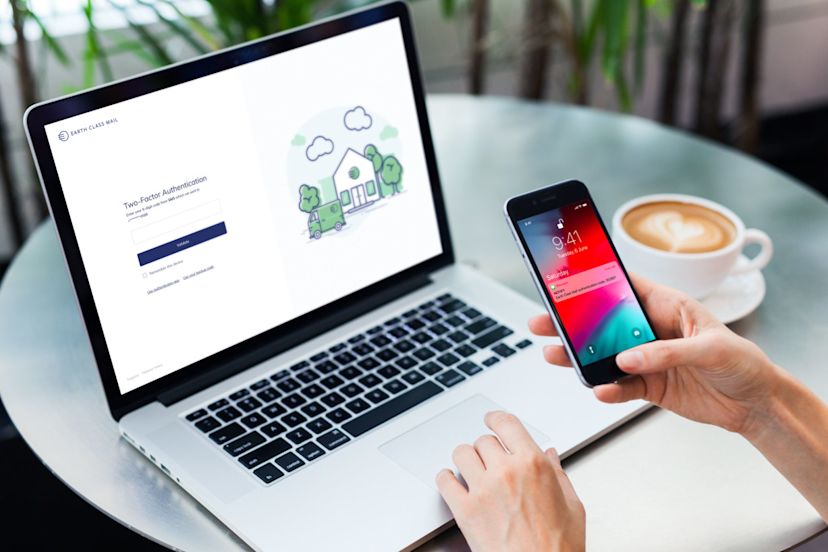
Identity theft specialists advise that we all check our postal mail daily and even lock the mailbox to make sure our mail doesn’t get stolen. They also recommend shredding documents that have significant amounts of private information and personal data to protect against identity theft—sound advice for sure.
At Earth Class Mail, we believe that every customer deserves the highest level of protection. Keeping our customers’ mail secure is the most important part of our job. Our customers view and manage their mail from our mobile apps or on our user platform, allowing them to manage their mail from anywhere. Keeping the physical mail scanned safe is one part of our job. Account security for your virtual mailbox is one area we’ve wanted to enhance.
We’re excited to say we have now enabled every customer to add another layer of security to their accounts with an additional security feature known as two-factor authentication, or 2FA. We aim to provide a secure, consistent, and fully functional experience for you each time you log in.
The 2FA feature is a two-step verification method that uses your mobile device to confirm your identity to grant account access. Once you take steps to enable 2FA, even if your password becomes compromised, your account will still be protected as the person trying to access it will have to provide a unique one-time verification code. The verification code is only available to the person in possession of your designated authentication device.
Let’s dive right in and show you how easy it is to set up.
Step One:
To activate your multi-factor authentication feature, log in to your user dashboard and navigate to the Settings > Security tab.

Step Two:
Select the preferred authentication option: SMS code ( a text message), Authenticator app, or choose both.

Step Three
If you choose the SMS code, you will receive a one-time verification code delivered via an SMS message to your mobile device. First, a verifiable mobile number will be required.

Step Four:
Once your phone is verified, you will receive a code on your mobile device. Enter the code in the SMS authentication box.

Step Five:
If you want to enable 2FA via an authenticator application (e.g., Google Authenticator, Microsoft Authenticator, or Authy), scan the QR code on your screen with your mobile device.

Step Six:
Once 2FA is enabled, your backup code will automatically be generated and appear on your screen. Please keep this number in a safe place. If you lose access to your verification method, you will need this code to access your account.
Note: If you cannot access your account for any reason, reach out to our Customer Support team via email: support@earthclassmail.com anytime, or call us at (210) 802-5211 between 8:00 AM - 5 PM CST.
Your setup is complete!
What happens if I login with a new device?
Every time a login is attempted from an unrecognized device, access will be denied and require a password and a new one-time code either delivered to your mobile phone via SMS or generated by the authenticator application of your choice.
What happens if multiple people use my Earth Class Mail account?
If you use your Earth Class Mail account with multiple users but still want to use 2FA, you still can. To do this, you should have one person designated as the person whose mobile device is tied to the account. When you want to authorize a new device to access the account, this person will authorize each device to access the Earth Class Mail account with the code sent to their device.
What happens if I lose my device or get locked out of my account?
If you are afraid of losing your phone and getting locked out of your account, we have you covered with a one-time backup code generated during the 2FA activation.
🙋 Have feedback for us? Please reach out: customervoice@earthclassmail.com
🛃 Need customer support? support@earthclassmail.com
Would you like a live demo with a virtual MailRoom expert? Book a demo here.


Find out more with The Postcard
Subscribe to get updates, special offers, and more!
invisible
Most Read
Access postal mail anywhere with a virtual MailBox


Get your physical mail professionally scanned and ready to view on any device
Virtual Mailbox for you!


